Mars Mission : Activate Communications

Activate Mars Communications Challenge


🧭 Mission Brief


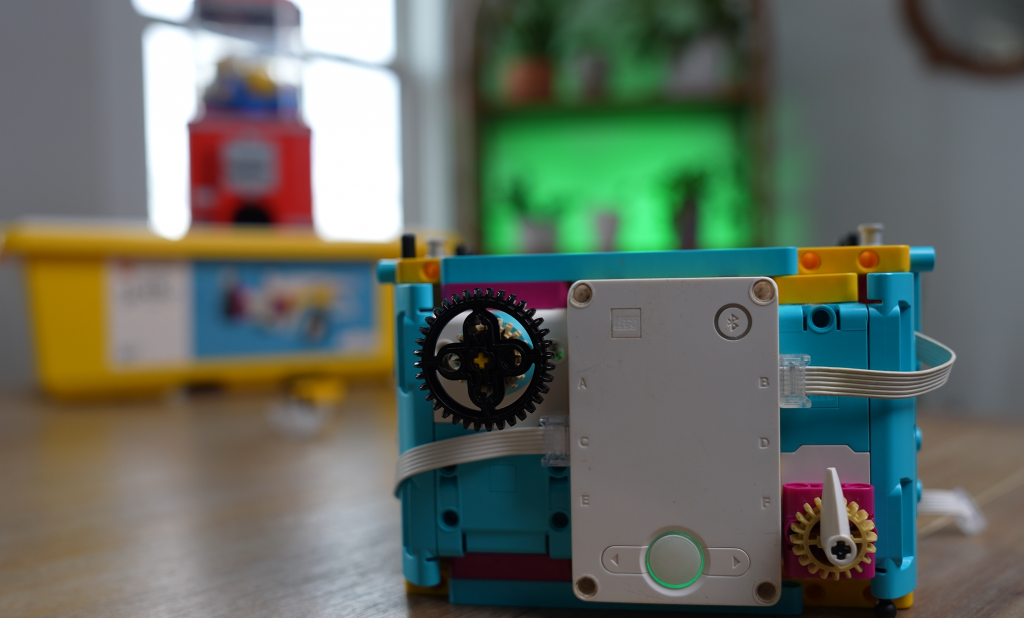
You’re designing and programming a LEGO Spike Prime rover to navigate across a Martian landscape, activate an underground communications satellite, and send a “signal” back to Earth—just like real Mars rovers supporting human exploration.


🎯 Challenge Instructions

Phase 1: The Challenge

Phase 2: Brainstorm & Sketch

Phase 3: Complete the Challenge


Deep Space Communication

Satellite dishes are a type of antenna that uses radio waves to receive or transmit data. On a human mission to Mars, they’d be used to transmit messages between Earth and Mars. Radio waves travel at the speed of light, and because the distance between Earth and Mars is variable, there’s an approximate delay of between four and twenty-four minutes in communication between the planets.

NASA’s Deep Space Network (DSN)

NASA operates a global system of giant antennas called the Deep Space Network. These are located in:

They’re spaced around the Earth to allow constant communication with distant spacecraft. The dishes are huge—up to 70 meters wide—so they can catch the tiny signals sent from across the solar system.

Delay in Space Communication

Because radio waves travel at the speed of light, there’s a delay when sending or receiving signals from space.

This is why real-time conversations with astronauts on Mars would be impossible.

Laser Communication Is the Future

NASA is testing laser-based communication, which can send more data much faster than traditional radio waves.

This could be the key to streaming high-quality video from the Moon or Mars one day.

What the Deep Space Network Does

The DSN does more than just listen. It:

Without the DSN, we’d lose contact with most space missions!

Why Three Locations?

Each DSN station is 120 degrees apart around the Earth so that at least one of them always has a view of a spacecraft, even as the Earth rotates. This setup allows 24/7 communication with distant probes.

Satellites Closer to Earth Use a Different System

Satellites that orbit Earth don’t use the Deep Space Network. They use a different group of ground stations called the Near Earth Network. These satellites help with weather forecasting, GPS, and communications here on Earth.

The SCaN Program

NASA's Space Communications and Navigation program (SCaN) manages all the networks—both for deep space and near Earth. They’re responsible for upgrading antennas, developing new technology like lasers, and preparing for future Moon and Mars missions.


💡 Build & Code Hints

AreaHint
Drive BaseUse a sturdy wheel base that can travel straight and align easily.
Activation ArmA lightweight beam or fork that can push just enough—not too much—to trigger the activation mechanism.
SensorsUse Ultrasonic to detect when you’re close to the button; use Color Sensor or distance tracking to keep your path straight.
ProgrammingUse loops for straight motion, conditional waits to stop at precise points, and fine motor power settings for controlled pushes.

📐 Step-by-Step Measurements & Angle Calculation

Step 1: Measure distance from base to satellite button in your setup (e.g. 40 cm).

Step 2: Calculate turning angles if you need to approach the button from the side:

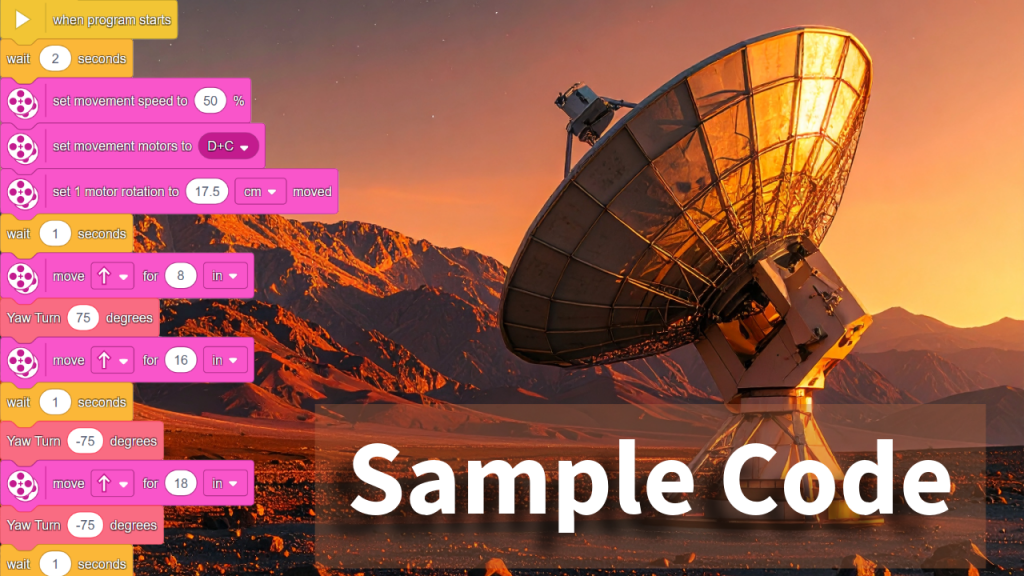
Step 3: Sample Code

Encourage students to fill in their exact measurements and calculated angles.


📺 Final Video Solution

Once students have built and programmed their rovers, they can watch the final completed mission. The video demonstrates a working solution—from navigation to block alignment to satellite activation and return to base.

“Mission Walkthrough” — Compare your approach with our at-home version


✅ Evaluation & Reflection

Self-Assessment:

Badge Levels:


🧰 Lesson Resources

🌻 Flower Robot Challenge: Seek the Sun!

🚀 Your Challenge:

Can you build a LEGO robot that acts like a real flower?
Your robot should spin slowly to look for light, then stop when it finds the sun (or anything yellow)!


🌱 What Do Real Flowers Do?

Have you ever noticed how sunflowers turn to face the sun? That’s not just for fun—it’s a real plant behavior called phototropism.

🌞 Phototropism means:

Plants grow or move in response to light.

💬 Fun Fact:

Some flowers stop turning once they’re grown, but younger ones still move every day!


🔧 Robot Build Instructions

You’ll build a flower that:

🛠️ Step 1: Build the Spinning Base

Build a sturdy base and mount a motor horizontally so it can spin a platform.
Make sure the whole thing doesn’t tip over when spinning!

We used the Twirling Teacups lesson as an introduction to a spinning base.


🪴 Step 2: Make the Stem

Use LEGO beams to make a vertical stem that connects your flower head to the spinning platform.


🌸 Step 3: Create the Flower

Your color sensor becomes the center of the flower.
Decorate it with bright petals—but make sure it can still “see” colors in front of it!


💻 Coding the Robot

Use this basic idea for your code:

forever:
Spin slowly
If color sensor sees yellow or a bright light:
Stop spinning

📹 Watch the example video for how this works:
Watch on YouTube

💡 Tip: You can use "wait until color sensor sees yellow" in your program, or detect brightness using the reflected light sensor mode.


🧪 Test Your Robot

Try these tests:


🎨 Bonus Challenges


📓 Record Your Learning

Use these questions in your science notebook:

QuestionYour Answer
What is phototropism?
How does your robot behave like a real flower?
What does the sensor do in your robot?
What did you change during testing?
What would you do differently next time?

🌼 Share Your Build!

Take a photo or video of your robot in action and share it with your class or post with permission!

Mars Mission : Ice Collection Challenge

Mission Brief

You're an astronaut-robotics engineer stationed on Mars Base 7. A massive dust storm has just passed, revealing delicate ice crystals on the red surface. These crystals may hold the key to:

But there's a problem: the crystals are too fragile to be picked up by normal grabbers. Your mission is to design a rover with a One‑Way Curtain to collect them safely and bring them home.


🎥 Watch the Mission Video

Check out the full mission walkthrough:
https://youtu.be/20_-gqwPFDc


Step 1: Build the One‑Way Curtain

Create a mechanism that lets ice shards pass into the collection basket—but won’t let them fall out.


Step 2: Build Your Rover

Start with a simple SPIKE Prime drive base:

Add sensors, color tiles, or bumpers if you like!


Step 3: Program the Mission

Using SPIKE Prime’s coding interface:

  1. Drive forward to sweep crystals
  2. Turn and repeat to cover the area
  3. Return to the Home Base when done

Tip: Use loop blocks, timers, or sensor-based navigation to make it reliable.


Step 4: Create Ice Shards

Make your own LEGO “ice crystals”:


Your Challenge

Build, attach, code, and collect:

MISSION GOALS

Document your mission: take photos or videos!


🗣️ Share & Compete

Once your mission is complete, do this:

  1. Comment below the video with your rover’s design and strategy
  2. Like the video if you enjoyed the challenge
  3. Subscribe for more robotics missions
  4. Tag us on social media with your rover—your build might be featured!

VENT Bot Maze Mission

A LEGO Spike Prime Challenge to Save the Mars Base


🚀 Your Mission

The Mars base has lost power. The lights are out. Systems are offline. The only way to reach the life support core is through a maze of narrow vents.
Your job is to build and program a LEGO Spike Prime robot — codenamed VENT Bot — to navigate the maze and save the crew.

Download your printable mission materials:
👉 VENT Bot Mission Tracks Printables (PDF)

💡 Pseudocode Mission Log (PDF)


🧱 What to Build

Begin by laying out a maze with items from home, class, or the printable maze tiles.

Your robot must be compact and precise. Use your LEGO Spike Prime kit to build a robot that can:

Required components:

HINT!

We used the Driving Base 1 building instructions from Competition Ready.


💻 What to Code

You’ll need to:

Example pseudocode:

Move forward 40 cm  
Turn right 90°
Move forward 20 cm
Turn left 45°

Use the printable Maze Mapping Log to record each step!

HINT!

Watch this video about using the Gyro Sensor to make precise turns.


📏 Step-by-Step Instructions

  1. Set up your maze using tape, tiles, or printed paths.
  2. Test your robot: Can it move straight and turn consistently?
  3. Use a ruler or tape measure to record distances between turns.
  4. Use the gyro sensor to test turn angles (e.g., 90°, 45°).
  5. Record your pseudocode for the entire maze path.
  6. Translate your plan into a working program in the Spike app.
  7. Test and revise — update your code until the robot can complete the maze!

🎯 Success Criteria


🎥 Watch the Full Mission Video

See how the mission begins, how the robot is built and programmed, and how VENT Bot saves the Mars base! Leave us a comment on YouTube if you completed the mission!