Free 16x16 LEGO® Plate Builder: Create Custom LEGO Challenge Cards
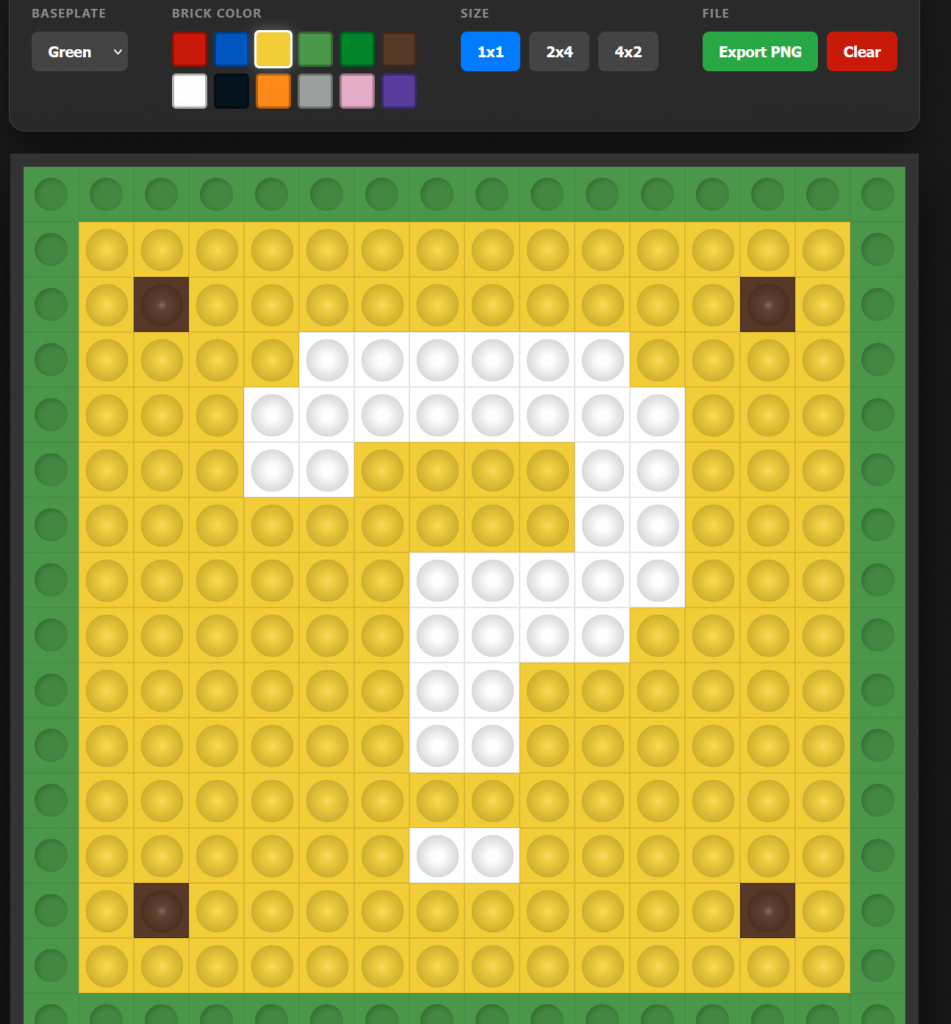
Unlock your creativity and kickstart your next building session with the Sprattronics LEGO Plate Builder. This free digital tool is designed specifically for educators, parents, and LEGO fans to design 16x16 LEGO Challenge Cards in seconds.
Whether you are looking for a quick STEM warmup or a way to inspire new LEGO ideas, our grid-based builder makes it easy to visualize and share "flat-build" inspirations.
Try out the Newest Version of LEGO Plate Builder!
What is the LEGO Plate Builder?
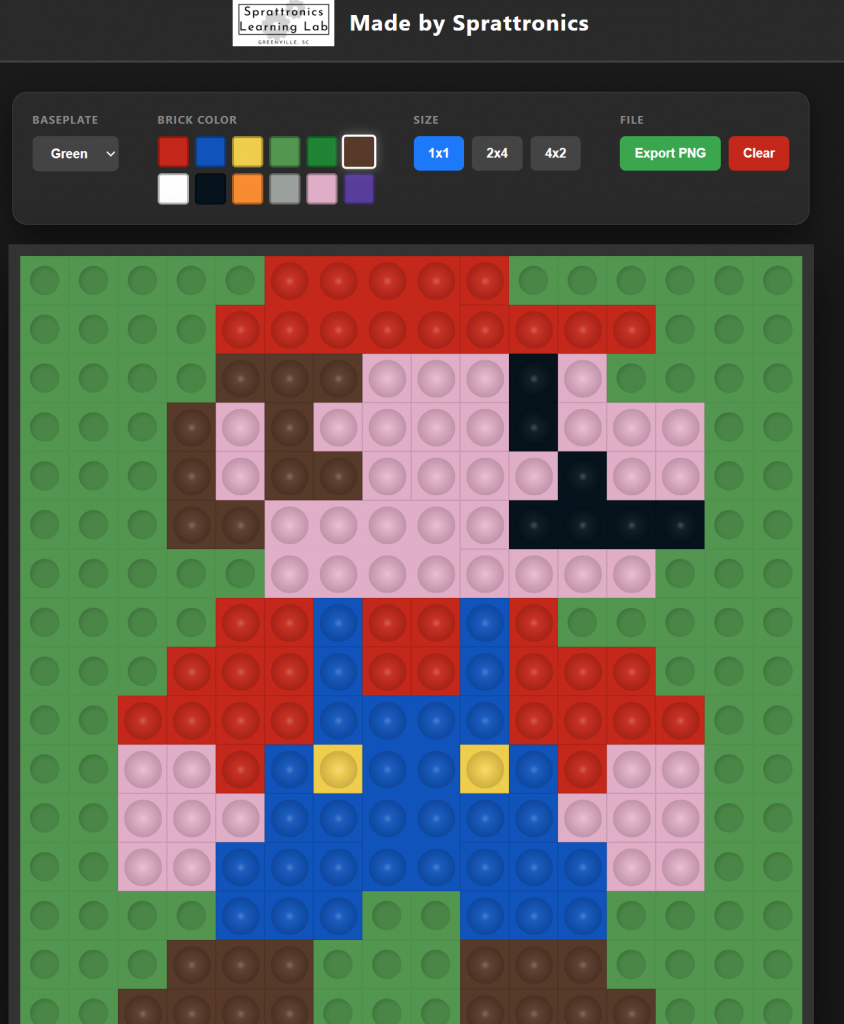
The Sprattronics LEGO Plate Builder is a user-friendly web app that allows you to design one-layer creations on a standard 16x16 baseplate. By restricting the build to a single layer, users are challenged to think about patterns, color theory, and spatial relationships—making it the perfect digital companion to physical brick building.
Key Features:
- Precision 16x16 Grid: Perfectly scaled to match standard small LEGO baseplates.
- Multiple Brick Sizes: Build with 1x1 studs, 2x4 bricks, or 4x2 plates.
- Vibrant Color Palette: Choose from 12 classic colors, including Pink, Purple, Dark Green, and Brown.
- Customizable Baseplates: Preview your design on Green, Tan, Gray, or Blue backgrounds.
- Instant Export: Download your creation as a high-quality PNG to print and use as a physical LEGO Challenge Card.
Why Use LEGO Challenge Cards?
At Sprattronics, we believe in the power of play-based learning. LEGO Challenge Cards are one of our favorite STEM warmup activities. Here’s why they are so helpful:
1. The Perfect Creative Warmup
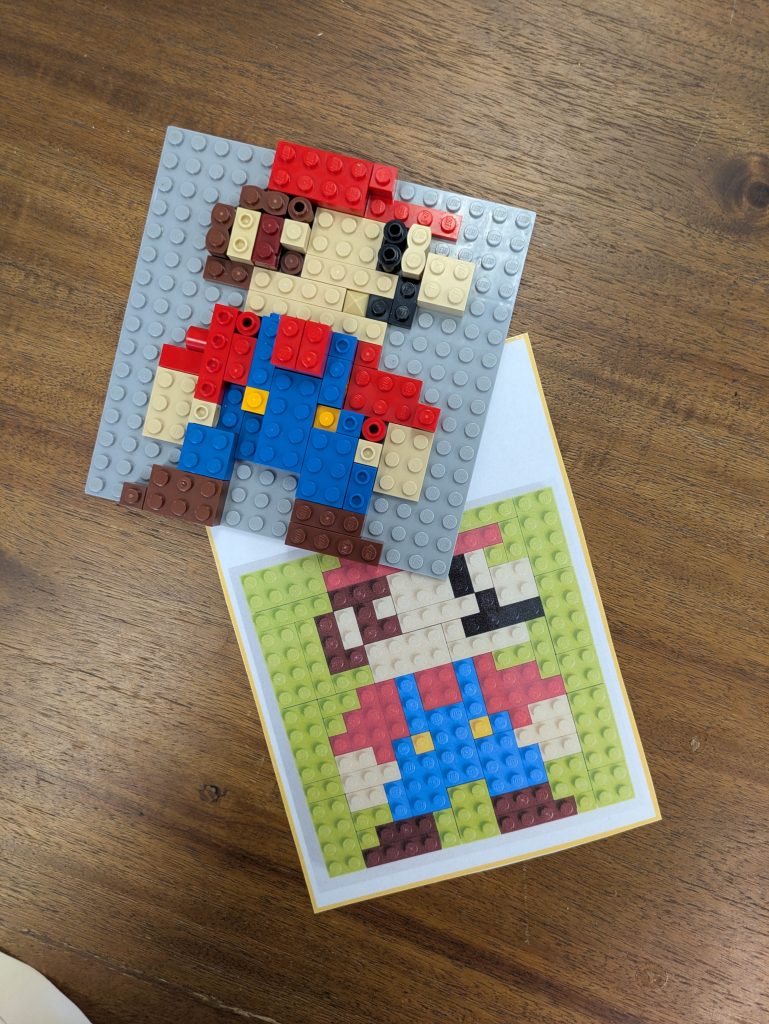
Starting a complex build can be intimidating. A 16x16 "one-layer challenge" acts as a creative spark. It limits the scope so that kids (and adults!) can focus on a single pixel-art style idea, which lowers the "barrier to build" and gets the creative juices flowing.
2. Enhances Spatial Awareness
Translating a 2D image from a Challenge Card into a 3D physical build helps develop essential spatial reasoning skills. Users must count studs and align colors to replicate the pattern they see on the card.
3. Ideal for Classroom Settings
Teachers can use our tool to generate dozens of unique Challenge Cards. Hand them out at the start of a MakerSpace session or an engineering block. It’s a quiet, focused activity that transitions students into a "maker mindset."
How to Use the Tool
- Select your Baseplate: Choose the color that matches your physical LEGO plate.
- Pick your Brick: Choose between 1x1 tiles for detail or larger 2x4 bricks for rapid building.
- Design your Pattern: Click on the grid to place your bricks. Need to change something? Simply click a placed brick to remove it!
- Export and Print: Click "Export PNG" to save your image. Print it out, laminate it, and you have a permanent LEGO Challenge Card for your classroom or home play area.
Start Building with Sprattronics
Ready to inspire your next masterpiece? [Click here to launch the LEGO Plate Builder] and start creating your custom challenge cards today!