Code a Mini Economy Town: A Development Guide
This guide breaks down the creation of Dice City Tycoon, a browser-based economic simulator. We developed this game in five distinct phases, moving from a simple text-based engine to a polished, multi-level city builder.
This page is all about building the game in HTML for a Web Browser. This is where I like to prototype my games before building a polished version in a game engine.
A Scratch Version of this Guide is available.
Phase 1: The Core Engine (Randomized Income)
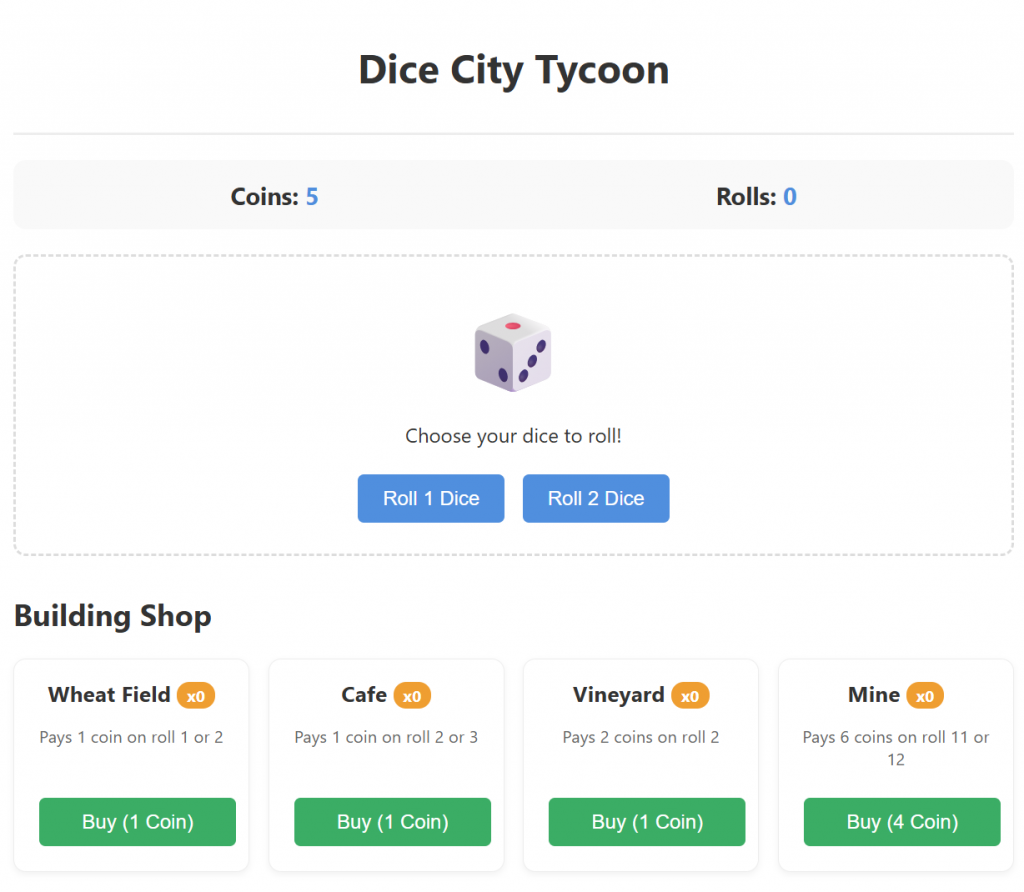
Objective: Establish the "Game Loop." We needed a way for the player to spend money (Input) and earn it back through luck (Output).
- How it was accomplished:
- Data Structure: We used a JavaScript object (state) to track coins and buildings, and an array (buildingData) to define what each building does.
- Randomness: We used Math.floor(Math.random() * 6) + 1 to simulate a 6-sided die.[1][2]
- Logic: Every time the player rolls, the code loops through their buildings. If the roll matches a building's "trigger" number (e.g., a Wheat Field triggers on a 1), it adds coins to the total.
Phase 2: Visual Feedback (The Emoji City)
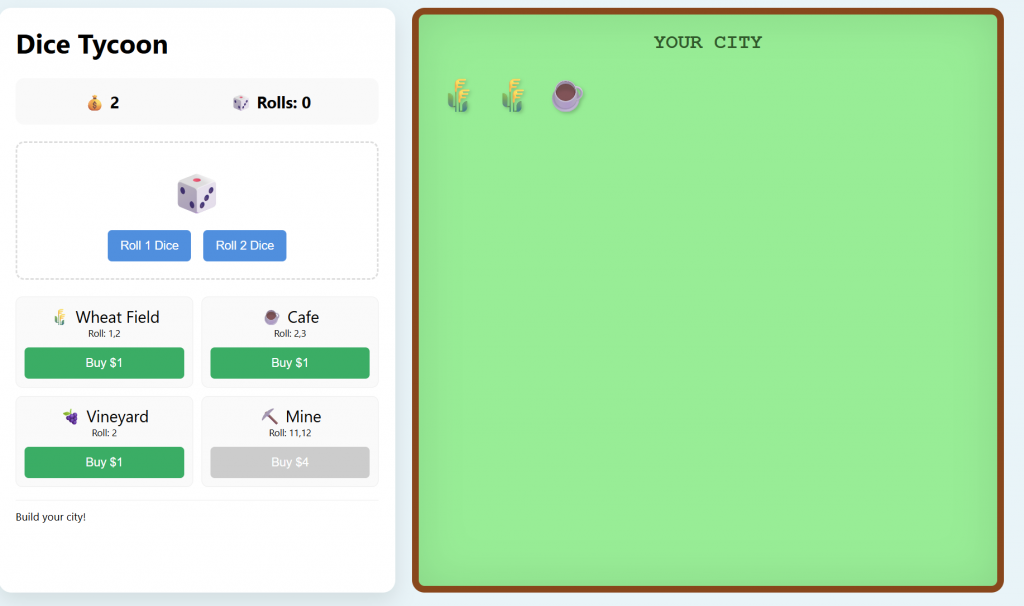
Objective: Make the game feel like a "City Builder" rather than just a spreadsheet. We wanted the player to see their progress physically.
- How it was accomplished:
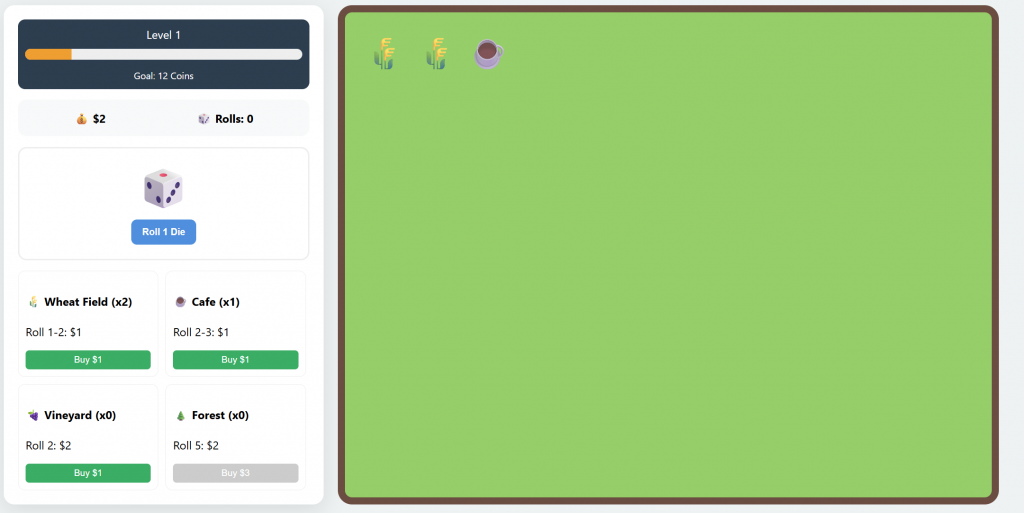
- The City Window: We created a dedicated CSS div (the "green field") using Flexbox.
- Dynamic DOM Injection: In the buyBuilding function, we added a line that creates a new <span> containing an emoji (🌾, ☕, ⛏️) and appends it to the city window.
- CSS Animations: We used a @keyframes "pop-in" effect to make buildings bounce into existence, giving a satisfying sense of "impact" when buying.
Phase 3: Strategic Depth (Synergy Buildings)
Objective: Move beyond simple payouts and introduce strategy. We wanted buildings that "talk" to each other.
- How it was accomplished:
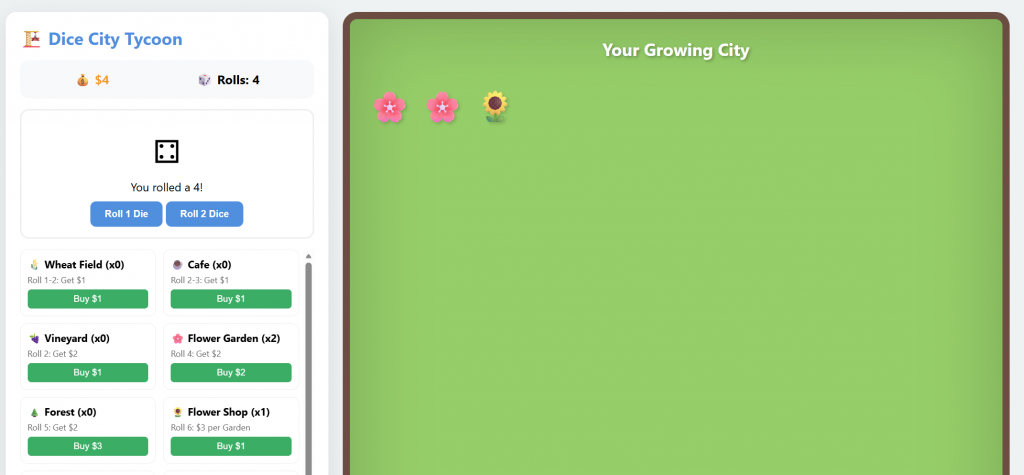
- Conditional Payouts: We added "Synergy Buildings" like the Flower Shop and Furniture Factory.
- Dynamic Calculation: Instead of a flat payout number, we wrote a function that checks the current state. For example, the Flower Shop calculates: (Count of Shops) * (3 * Count of Flower Gardens).
- Strategy Shift: This forced players to decide between "Reliable" income (Wheat Fields) or "High-Ceiling" combos (Flower Shop + Gardens).
Phase 4: The Progression System (Levels & Unlocks)
Objective: Prevent the player from being overwhelmed and create long-term goals.
- How it was accomplished:
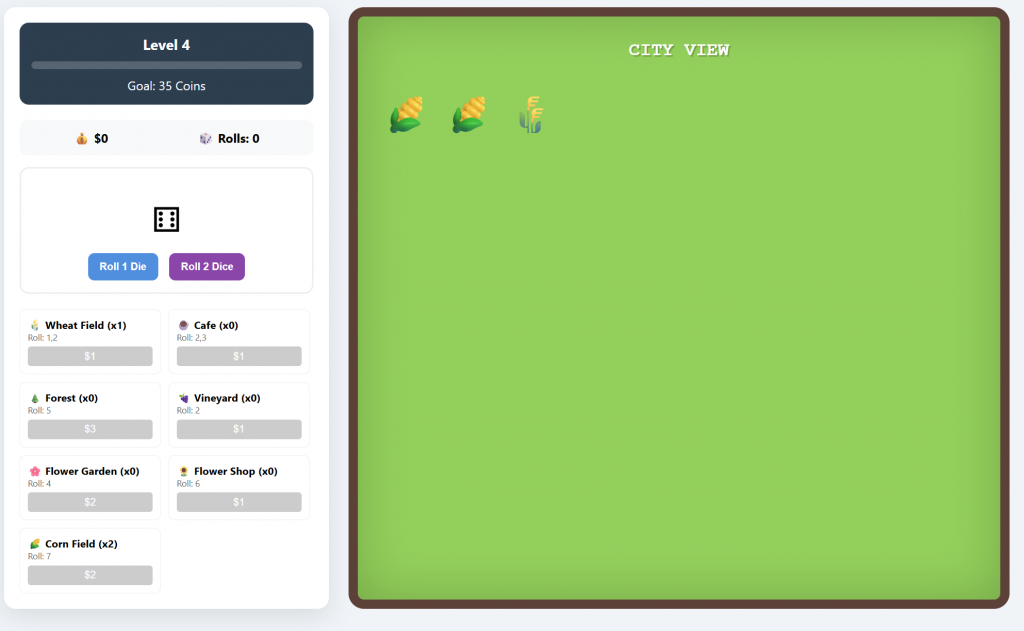
- Level Gatekeeping: We added a minLvl property to each building. The "Market" code was modified to only show buildings if game.level >= building.minLvl.
- The Level-Up Trigger: After every roll, a checkLevel() function compares the player's coins to a target goal (e.g., Level 1 goal = 12 coins).
- The "Second Die" Mechanic: We locked the ability to roll two dice until Level 4. This created a major gameplay milestone that felt like a reward for mastering the early game.
Phase 5: Polish & "Juice" (Animations & Resets)
Objective: Make the game feel professional and implement a "Prestige" loop where the game gets harder but more rewarding.
- How it was accomplished:
- Coordinate Math: For the sliding coins, we used getBoundingClientRect(). This allowed JavaScript to find the exact pixel location of the dice and the pixel location of the coin counter on your screen.
- Coin Flying: We created temporary "flying coin" elements and used CSS transitions to move them between those two coordinates.
- The Great Reset: To keep the game challenging, we added a reset logic on level-up. When a goal is hit, the code clears the buildingsOwned object, empties the City Window HTML, and sets coins back to 5. This forces the player to use their newly unlocked buildings to reach the next, higher goal.
Final Project Architecture Summary
- HTML: Provides the skeleton (the city field and the control sidebar).
- CSS: Handles the "Vibe" (grass colors, dirt borders, and button styling).
- JavaScript: Acts as the brain, managing the level logic, coin math, and animations.
Key takeaway: By starting with a simple dice roll and layering on visuals, strategy, and then progression, you can build a complex simulation starting from just a few lines of code.